- Ignition8
- Modules and Platform
- Ignition Modules
- Vision
- Vision Client Launcher
- Vision Designer Interface
- Vision Windows
- Working with Vision Components
- Binding Types in Vision
- Vision Templates
- Security in Vision
- Scripting in Vision
- Historian in Vision
- Alarming in Vision
- Reporting in Vision
- Vision Client in Tags
- Vision Project Properties
- Common Tasks in Vision
- Perspective
- OPC UA
- OPC UA Drivers
- Tag Historian
- SQL Bridge
- Reporting
- Alarm Notification
- Enterprise Administration
- Sequential Function Charts
- Symbol Factory
- SECS/GEM
- Vision
- Ignition Platform
- Ignition Edge
- Ignition Modules
- Appendix
- Tutorials & Helpful tricks
- Glossary
- Modules and Platform
Ignition8
Modules and Platform
Ignition Modules
Vision
Vision Client Launcher
cofig文件路径 /home/taohy/.ignition/clientlauncher-data
log文件路径 /home/taohy/.ignition/clientlauncher-data/visionclientlauncher.log
- Multi-Monitor Clients
??
-
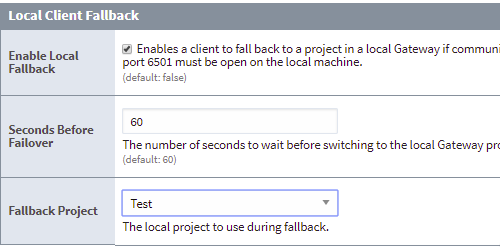
Local Vision Client Fallback
Vision Designer Interface
ok
Vision Windows
open dynamic windows on startup 通过vision下的client events脚本控制
about winodw 通过设置成“about” window,在client运行Help-about this application点击,即可对应到about页面
navigation strategy 在线例子 OnlineDemo
-
Window Types
建了一个window,如何再去改变type?
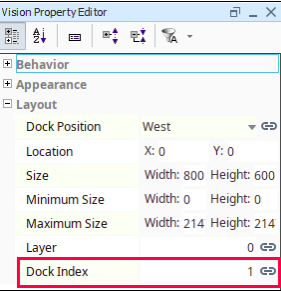
Docked Windows 停靠窗口
dock index属性,可以设置哪个优先
-
Poup Windows
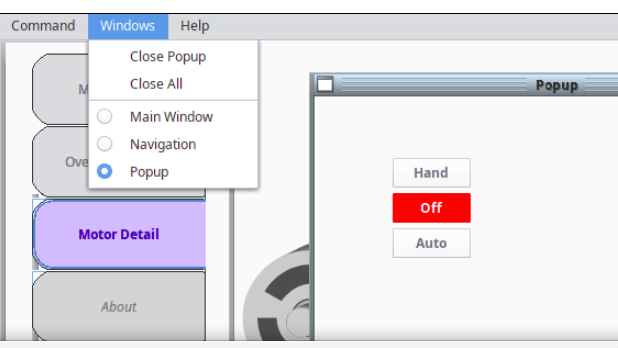
The Windows Menu 显示当前客户端,所有打开的窗口:如下图
Multiple Instances of a poup window:多个实例窗口
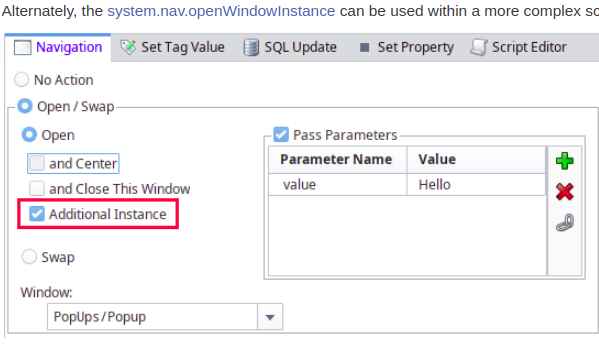
Prameterized Poup Window:传递参数
- Navigation Strategies in Vision
Navigation-Tab strip
Navigation-Two Tier
Navigation-Tree View
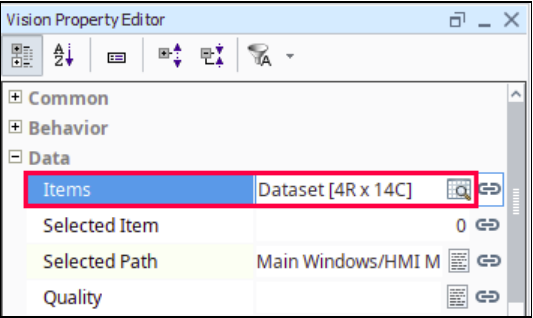
Tree双击能打开页面,配置如下:
Navigation-Forward and Back Button
自己新建,加2个按钮,写脚本控制
Naviagtion-Drill Down
Naviagtion-Menubar
Navigation-Retargeting
Working with Vision Components
选择控件-alt键-可以选择下一层控件
resize控件-alt键-根据中心放大缩小
resize控件-shift键-等比例放大缩小
move控件-键盘上下左右方向键-移动一格1px
move控件-键盘上下左右方向键+alt键-移动一格10px
duplicate控件-ctrl键 拖动到任意位置
duplicate控件-ctrl +D原位置重复
rotate控件-ctrl键 15度
gourp控件-双击选中,出现红色框,然后选择内部控件
layout-默认设置-Project properties-vision-layout
-
creating vision component
drag tags is the easiest way to make some components
custome palette:在控件标题右击,新增palette,再选中需要的控件,新增进去,以后就可以直接拖动使用。
-
vision component customizers
右击-customizers-component customizers,可以编辑控件属性。
右击-customizers-custom properties,自定义属性,pass parameters to poup window.同时可传UDT属性。
右击-customizers-style customizer,样式自定义,通过一个新增属性,来控制多个样式。
-
drawing tools
rectangle tool:ctrl键 正方形;shift键 矩形;
line tool:开始单击,结束双击;
shape geometry形状几何
fill and stroke
-
images and svgs in vision
svgs直接文件drag进去,但是不是支持所有svg的属性等
-
comparison charts
Bar chart
Classic chart
Pie chart
Radar chart
Box and whisker chart
-
html in vision
-
localization in vision
language selector语言选择器
Binding Types in Vision
-
property bingdings in vision
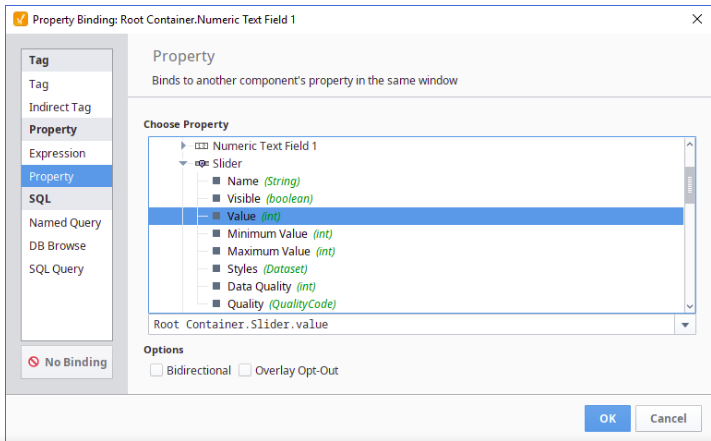
options-bidirectional 双向的
-
tag bingdings in vision
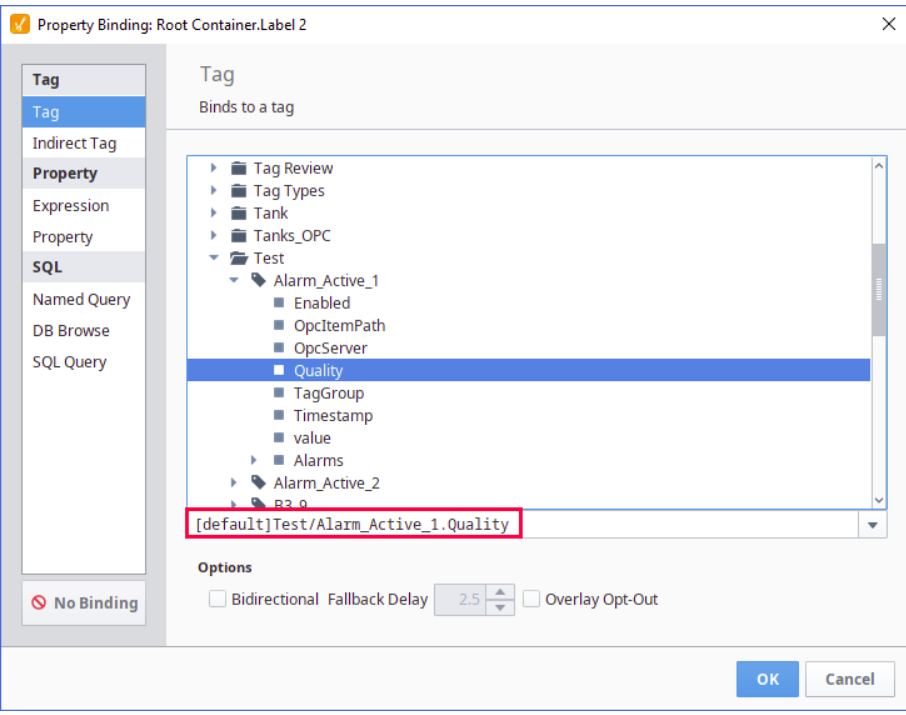
-
indirect tag bindings in vision
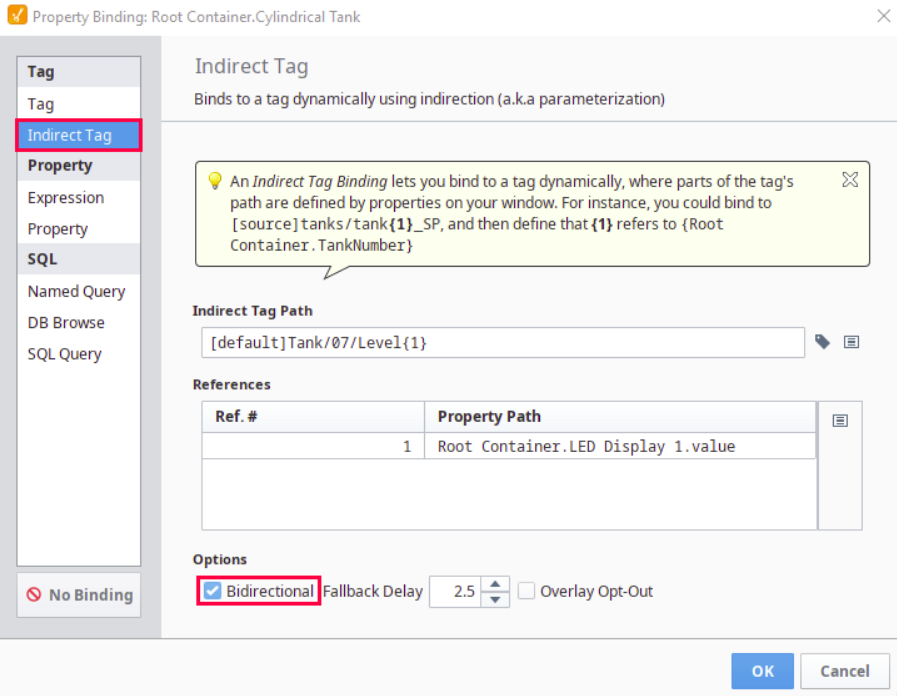
-
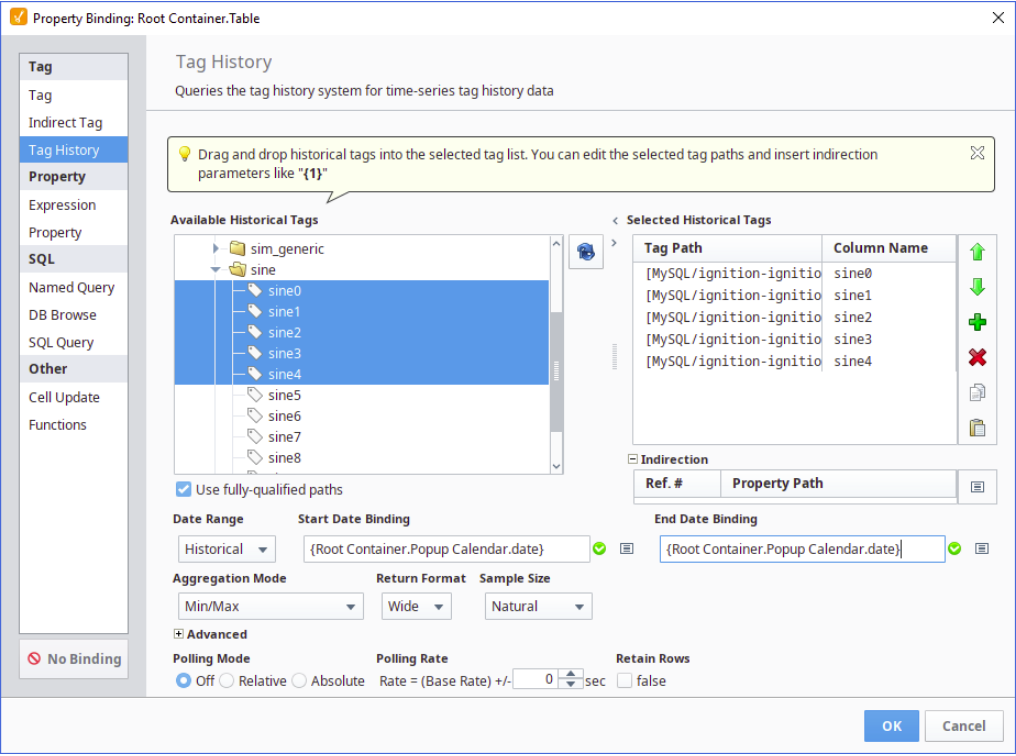
tag history bindings in vision
-
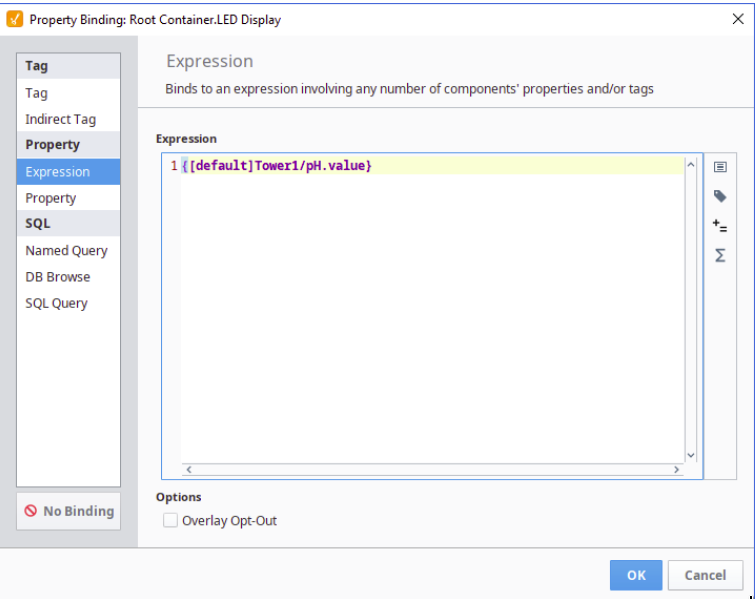
expression bindings in vision
-
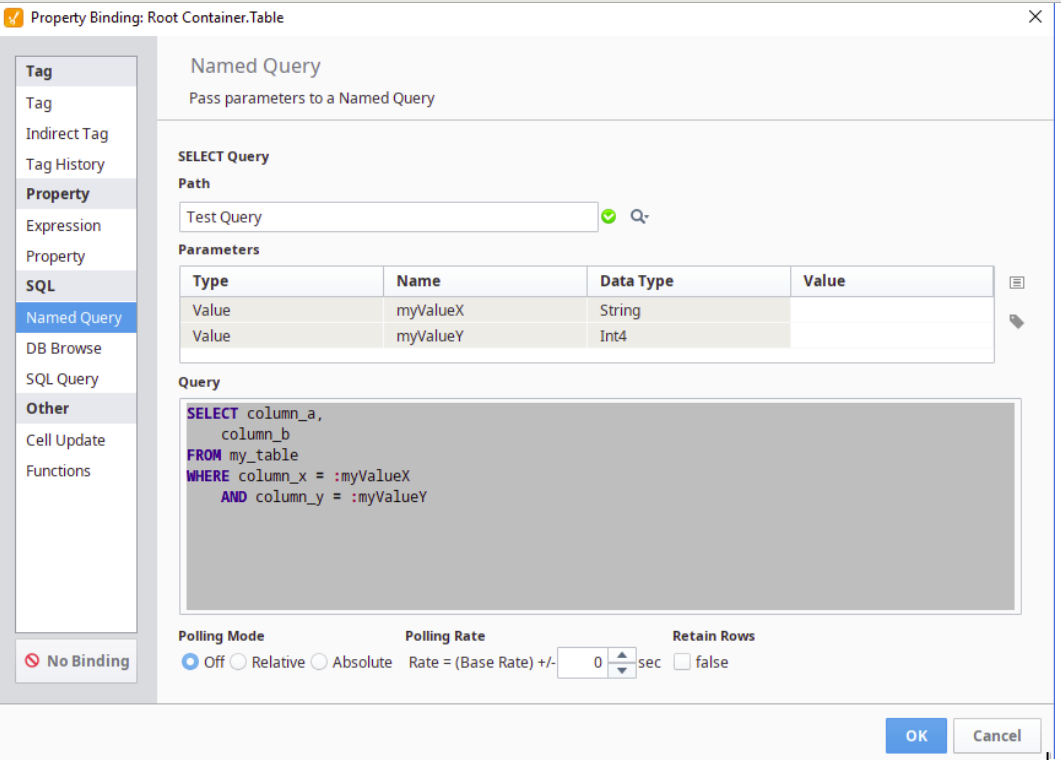
named query bindings
-
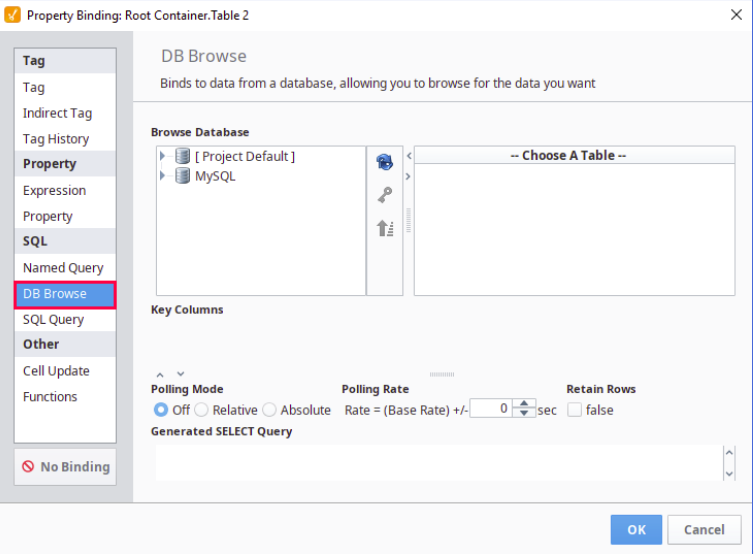
db browse bindings
-
sql query bindings in vision
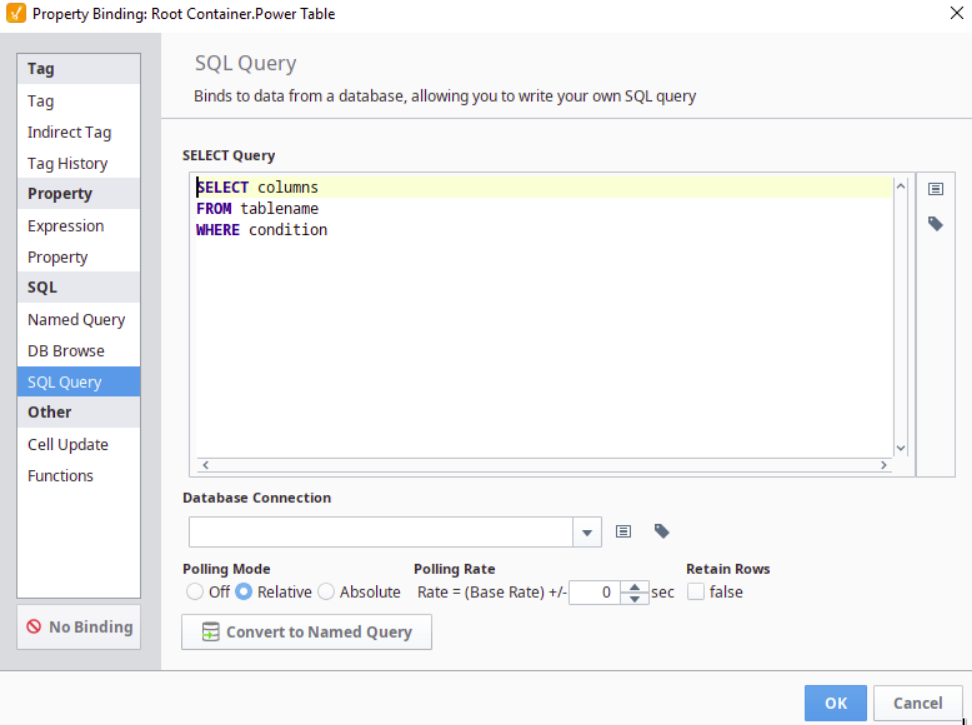
-
cell update bindings
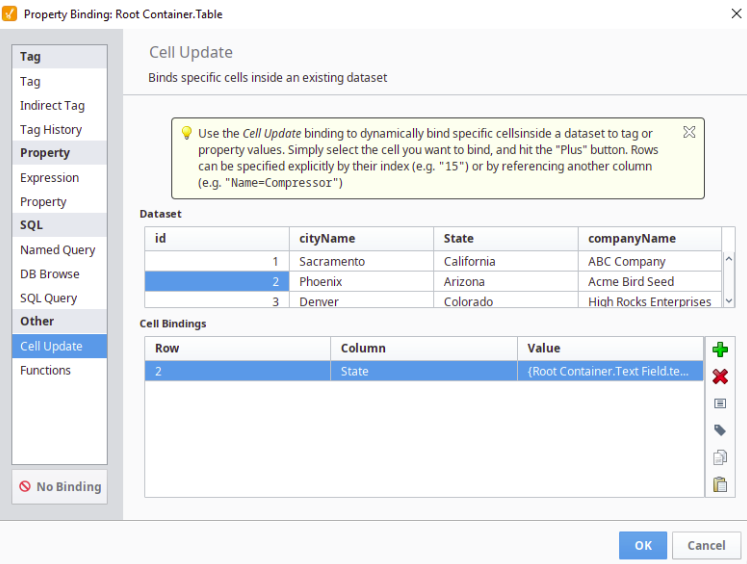
-
function bindings
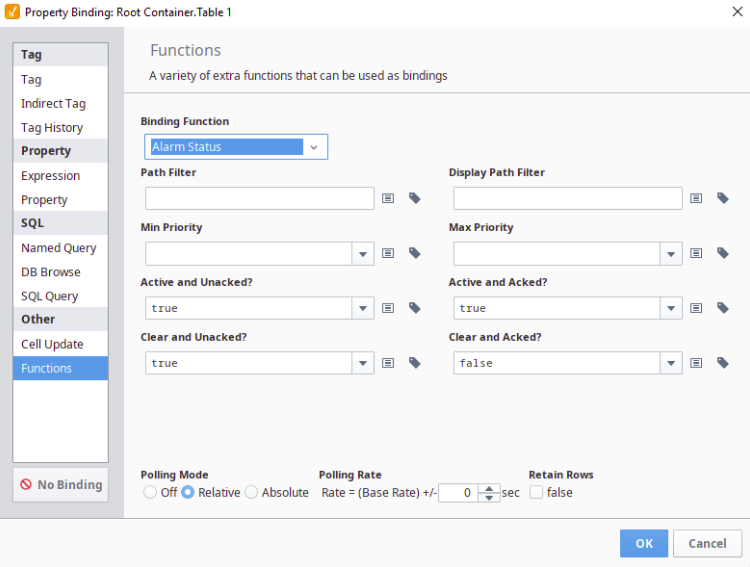
-
color animation in vision
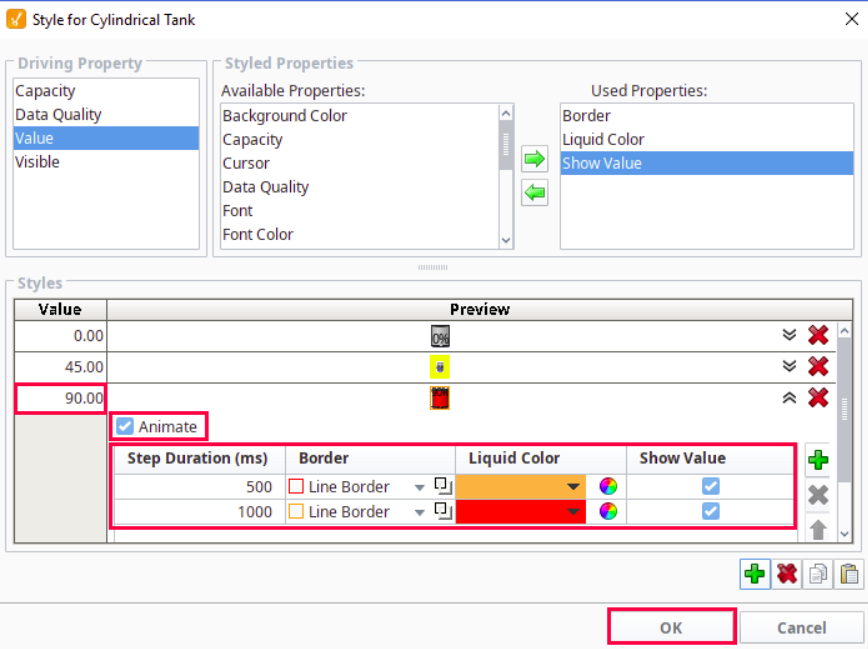
Vision Templates
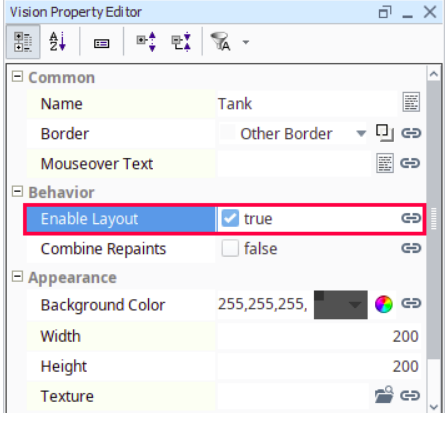
Templates遵循外面的布局,勾选enable layout,如下设置:
-
creating a template
create a template
-
template indirection
-
using the template repeater
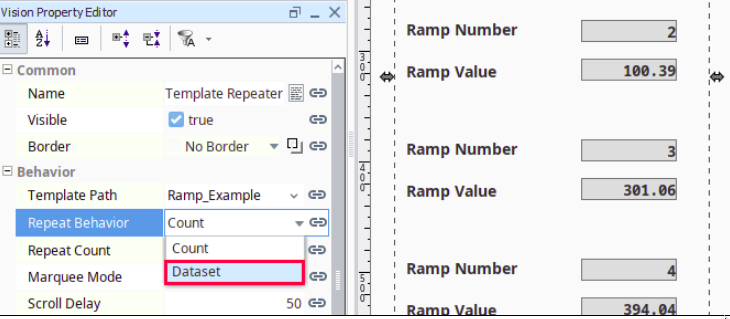
有template repeater控件,可以设置数量,重复的次数。
-
using the template canvas
Security in Vision
-
login security
-
component and window security
每个组件-右击-选择security-security settings
-
security in scripting
每个组件-右击-scripting-security
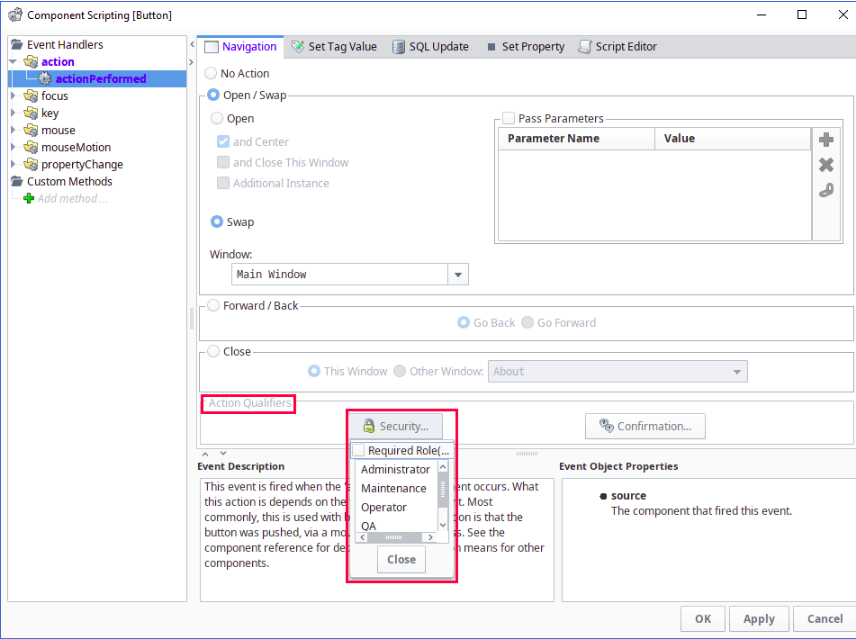
Scripting in Vision
-
script builders in vision
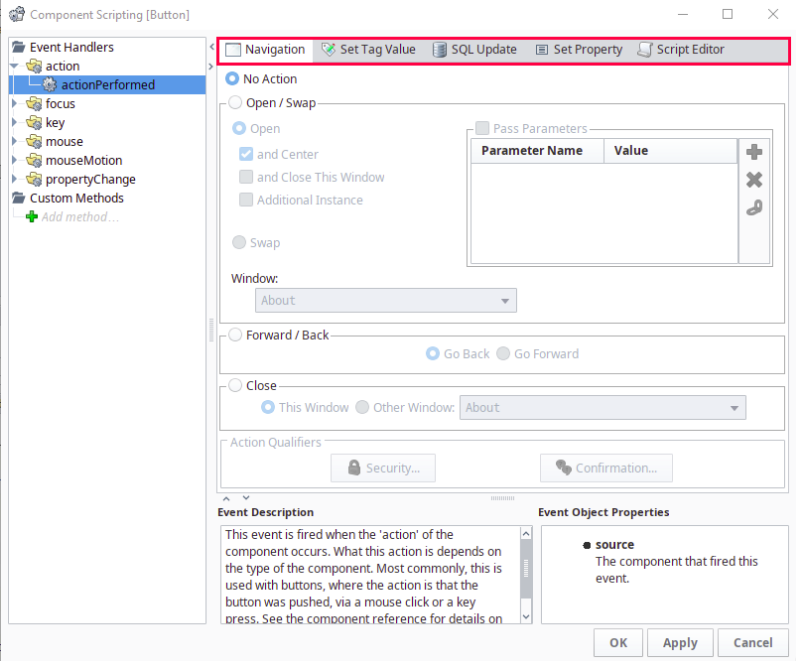
swap:交换,关闭现在的窗口,打开其他窗口。
-
component events
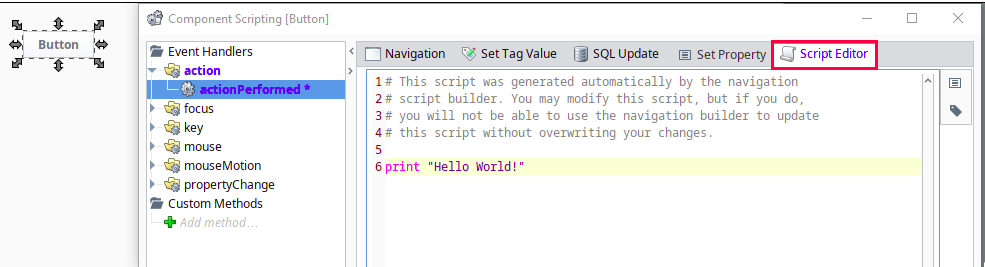
脚本,用python写的
-
extension functions
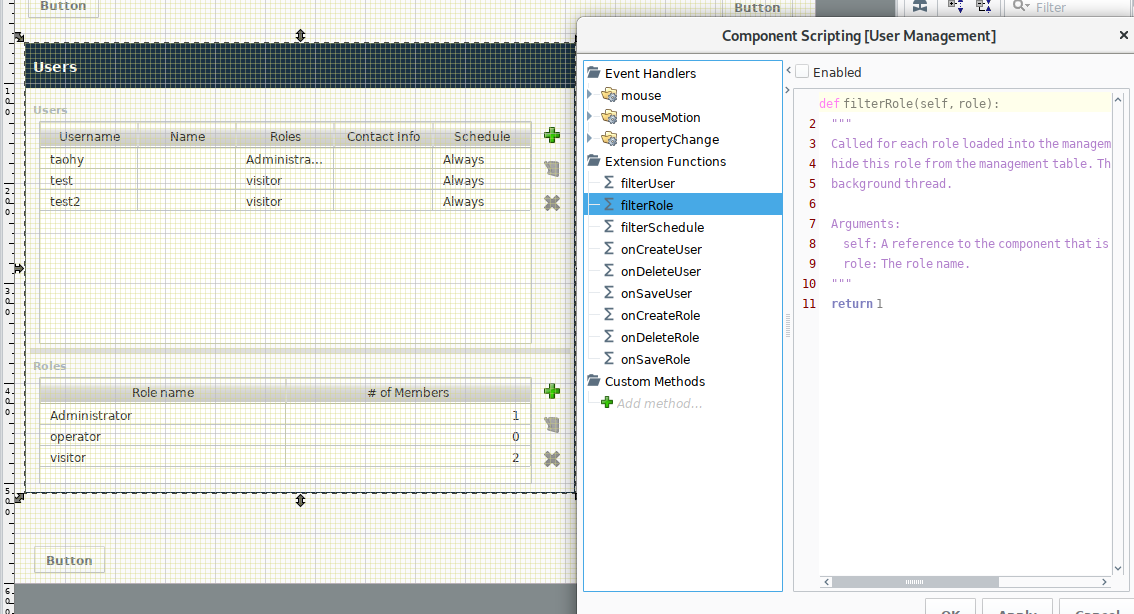
-
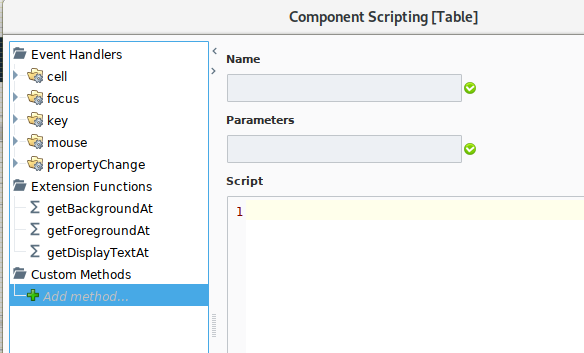
custom component methods
-
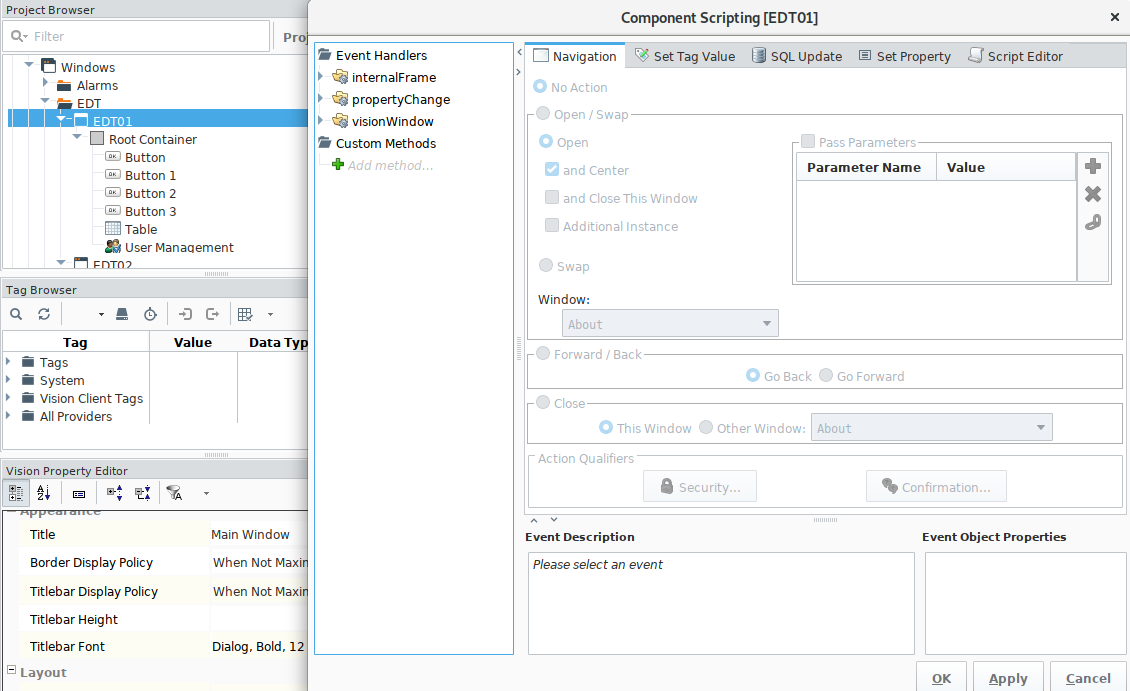
focus manipulation
焦点操作
-
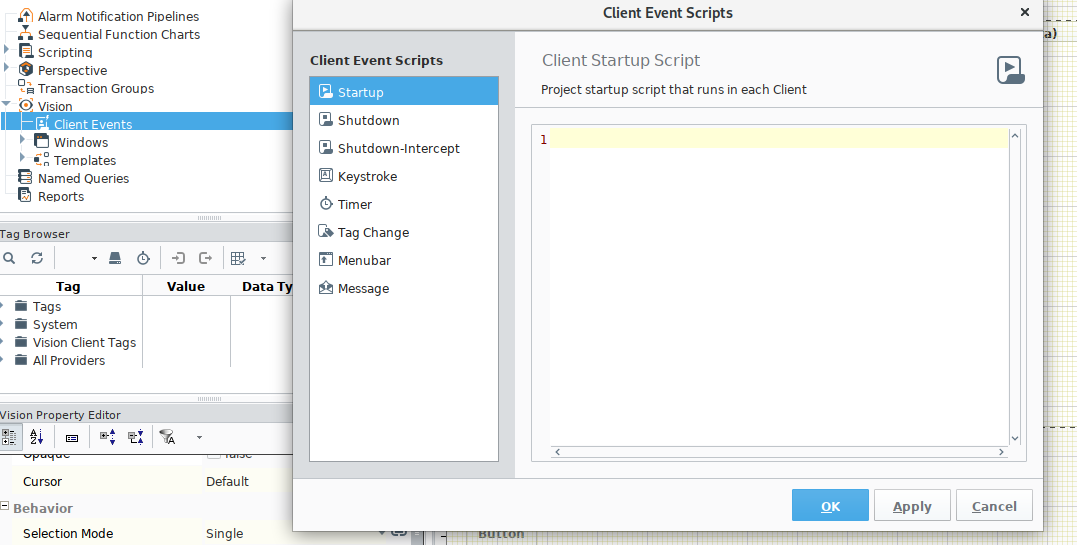
client event scripts
Historian in Vision
Alarming in Vision
Reporting in Vision
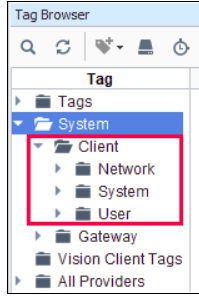
Vision Client in Tags
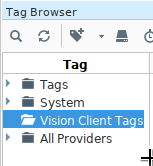
client tags -只能在clients中使用
system client tags
Vision Project Properties
Common Tasks in Vision
Perspective
OPC UA
OPC UA Drivers
Tag Historian
SQL Bridge
Reporting
Alarm Notification
Enterprise Administration
Sequential Function Charts
Symbol Factory
SECS/GEM
Ignition Platform
Gateway
Projects
Licensing and Activation
Ignition Redundancy
Gateway Network
Database Connections
Security
Designer
Tags
Alarming
Alarming Journal
Localization and Languages
Expression Overview and Syntax
SQL in Ignition
Scripting
Ignition Edge
Appendix
Componnets
Expression Functions
Scripting Functions
Reference Pages
Tutorials & Helpful tricks
Tutorials & Helpful Tricks
Glossary
glossary
